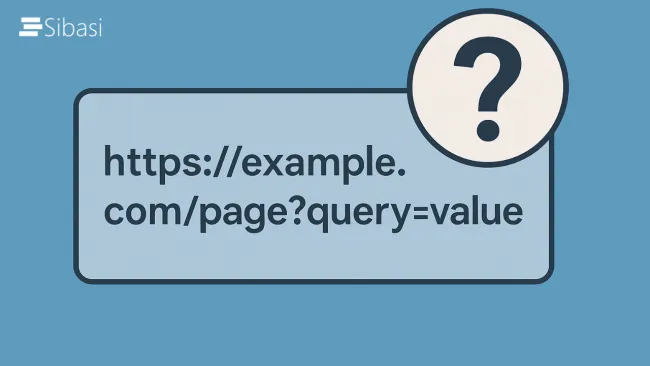
Query String URL Tricks for SharePoint and Microsoft 365
When working with SharePoint and Microsoft 365, small tweaks can make a huge difference — especially when it comes to URLs

When working with SharePoint and Microsoft 365, small tweaks can make a huge difference — especially when it comes to URLs

SharePoint Online offers great flexibility in designing intranets and collaboration platforms through custom SPFx web parts. However, one common issue developers and admins face is that guest users (external users) often can't see or interact with these custom web parts. This can be frustrating, especially when your organization relies on collaboration with external partners, contractors, or clients.
In this post, we’ll explore why this happens and walk through the steps to make your custom web parts accessible to guest users.

SharePoint forms are essential for data entry and management, but default forms can sometimes be bland and unstructured. With JSON formatting, you can customize the appearance and behavior of SharePoint list forms to enhance user experience and improve data visibility. In this blog, we will explore how to use JSON formatting to style SharePoint forms and control field visibility.

To change the SharePoint root site, follow this steps:

SharePoint add-ins, now referred to as SharePoint Apps, are custom solutions that extend the functionality of Microsoft SharePoint. These add-ins enable developers to create and deploy custom features, components, and tools that enhance the capabilities of SharePoint sites.
There are two main types of SharePoint add-ins:

SharePoint Hub Sites have revolutionized the way organizations structure and connect their intranet, making it easier to find relevant content, promote collaboration, and maintain a consistent user experience. In this blog, we'll explore the concept of SharePoint Hub Sites, their benefits, and how to implement them effectively.
What are SharePoint Hub Sites?

SharePoint, Microsoft's powerful collaboration platform, empowers teams to work seamlessly and efficiently. One of the critical aspects of SharePoint's functionality is its robust site permissions system. Properly managing permissions ensures that users have the right level of access to information, fostering collaboration while maintaining security. In this blog post, we'll delve into the intricacies of site permissions on SharePoint and provide insights on how to navigate the permissions maze effectively.
Unpacking SharePoint Permission Levels

In the dynamic realm of document management and collaboration, SharePoint has emerged as a powerhouse, empowering organizations to streamline their processes and enhance productivity. Among the myriad features that make SharePoint a preferred choice is the robust functionality of Content Types. In this blog, we'll delve into the significance of SharePoint Content Types, exploring their capabilities and the transformative impact they can have on your document management strategy.
Understanding SharePoint Content Types
What Are Content Types?

SharePoint, the robust collaboration platform from Microsoft, continues to evolve, offering exciting new features that empower users and enhance teamwork. 2023 has been a particularly fruitful year, bringing updates that cater to diverse needs, from improved content creation to advanced security measures. Let's dive into some of the most noteworthy additions:

SharePoint Framework (SPFx) has emerged as a powerful development model that enables organizations to extend and customize SharePoint Online and SharePoint on-premises.