Mastering CALCULATE in DAX: A Deep Dive into Filter Context, ALL, ALLEXCEPT, REMOVEFILTERS, and KEEPFILTERS Rebecca Anyangu Thu, 02/05/2026 - 08:56

CALCULATE is the most important function in DAX.

If you truly understand CALCULATE, you understand how Power BI thinks.

It allows you to control filters, override slicers, ignore visuals, and apply business rules correctly. Almost every advanced Power BI measure relies on CALCULATE in one way or another.

In this article, we will explore CALCULATE in depth and clearly explain how filter modification works using:

• ALL

• ALLEXCEPT

• REMOVEFILTERS

• KEEPFILTERS

Power Platform Security Best Practices: What Every Admin Should Know

Microsoft Power Platform empowers organizations to build low-code apps, automate workflows, and gain insights from data. But with great power comes great responsibility—especially for admins responsible for maintaining a secure environment.

Here’s a breakdown of the top security best practices every Power Platform admin should follow to protect data, users, and organizational assets.

1. Understand the Power Platform Ecosystem

Before diving into security controls, it’s important to understand the key components you're managing:

Apr 11, 2025

<span><span>Rebecca Anyangu</span></span>
Rebecca Anyangu

Understanding Dynamics 365 Security Roles: A Comprehensive Guide

Security roles in Microsoft Dynamics 365 act as virtual keys that define what users can access and modify within the system. Properly managing these roles ensures data security, regulatory compliance, and efficient business process control. In this blog, we'll explore the different security roles, data security levels, assignment methods, and privileges in Dynamics 365.

Apr 03, 2025

<span><span>Rebecca Anyangu</span></span>
Rebecca Anyangu

Populating a Word Document with Microsoft Power Automate

In today’s fast-paced digital landscape, businesses and organizations require efficient, automated solutions to streamline document generation processes. Microsoft Power Automate provides a powerful and seamless way to automate the creation of documents by integrating Microsoft Word with structured data sources like SharePoint and Dataverse. This automation eliminates the need for manual data entry, ensuring consistency, accuracy, and time efficiency—key factors in optimizing business workflows.

Mar 25, 2025

<span><span>Rebecca Anyangu</span></span>
Rebecca Anyangu

Empower Your Business with Asset Management Application

Managing and tracking assets efficiently is vital for any organization. Our Asset Management Application offers a comprehensive solution that simplifies asset tracking, maintenance scheduling, and compliance management. Built on PowerApps and SharePoint, this system boosts efficiency and helps reduce operational costs. Here’s what makes our application stand out:

Feb 27, 2025

<span><span>Rebecca Anyangu</span></span>
Rebecca Anyangu

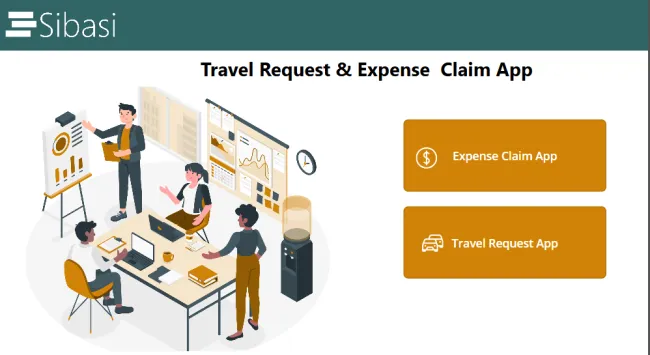
Travel Request and Expense Claim Application

Managing employee travel requests and expense claims can be complex and time-consuming for businesses of all sizes. A streamlined and automated approach not only enhances efficiency but also ensures compliance with company policies. Our Travel Request and Expense Claim System is designed to simplify the process while maintaining accuracy and transparency.

Feb 23, 2025

<span><span>Rebecca Anyangu</span></span>
Rebecca Anyangu

Unlock the Power of Smart Asset Management Application

Managing and tracking assets efficiently is vital for any organization. Our Asset Management Application offers a feature-rich solution that simplifies asset tracking, maintenance scheduling, and compliance management. Built on PowerApps and SharePoint, this solution enhances efficiency and reduces operational costs. Below are the key features that make our asset management application.

Key Features:

Feb 16, 2025

<span><span>Rebecca Anyangu</span></span>
Rebecca Anyangu

Optimizing Asset Management with Power Apps & SharePoint

Take Control of Your Assets with Ease! Managing company assets can be a challenge—lost equipment, outdated records, and inefficient tracking can cost your business time and money. But what if you had a smarter way to manage it all?

Sibasi Asset Management Application—your all-in-one platform for seamless asset tracking, automated maintenance, and optimized resource allocation. Built on PowerApps and SharePoint, Our Asset management application eliminates guesswork and manual processes, giving you real-time visibility and complete control over every asset in your organization.

Jan 31, 2025

<span><span>Rebecca Anyangu</span></span>
Rebecca Anyangu

Travel and Expense Claim App

Managing business travel can be time-consuming—coordinating approvals, tracking expenses, and ensuring compliance often leads to delays and inefficiencies. What if you had an automated system that streamlined the entire process?

Dec 08, 2024

<span><span>Rebecca Anyangu</span></span>
Rebecca Anyangu

Asset Management Application

The Asset Management Application, built using Power Apps and SharePoint, is designed to help organizations effectively track and manage their assets. It provides a centralized platform for tasks such as registering new assets, tracking locations, assigning assets to users, processing maintenance requests, and managing disposals. This comprehensive solution ensures that all activities are accountable and comply with company policies, serving as a one-stop platform for efficient asset management.

Application Overview 

Nov 04, 2024

<span><span>Rebecca Anyangu</span></span>
Rebecca Anyangu